Type \alpha. Get α.
LaTeX Squiggly turns LaTeX into real characters as you type, in Slack, email, Notes, Google Docs, anywhere. And it knows to stay quiet in your TeX editor.

This box works the way the app does. Space or tab finishes a command; return never does.
Everywhere you write
One engine, wherever you type
The same symbols and the same rules on every platform, so \alpha does the same thing in Slack on your Mac, a Google Doc in Chrome and a message on your phone.
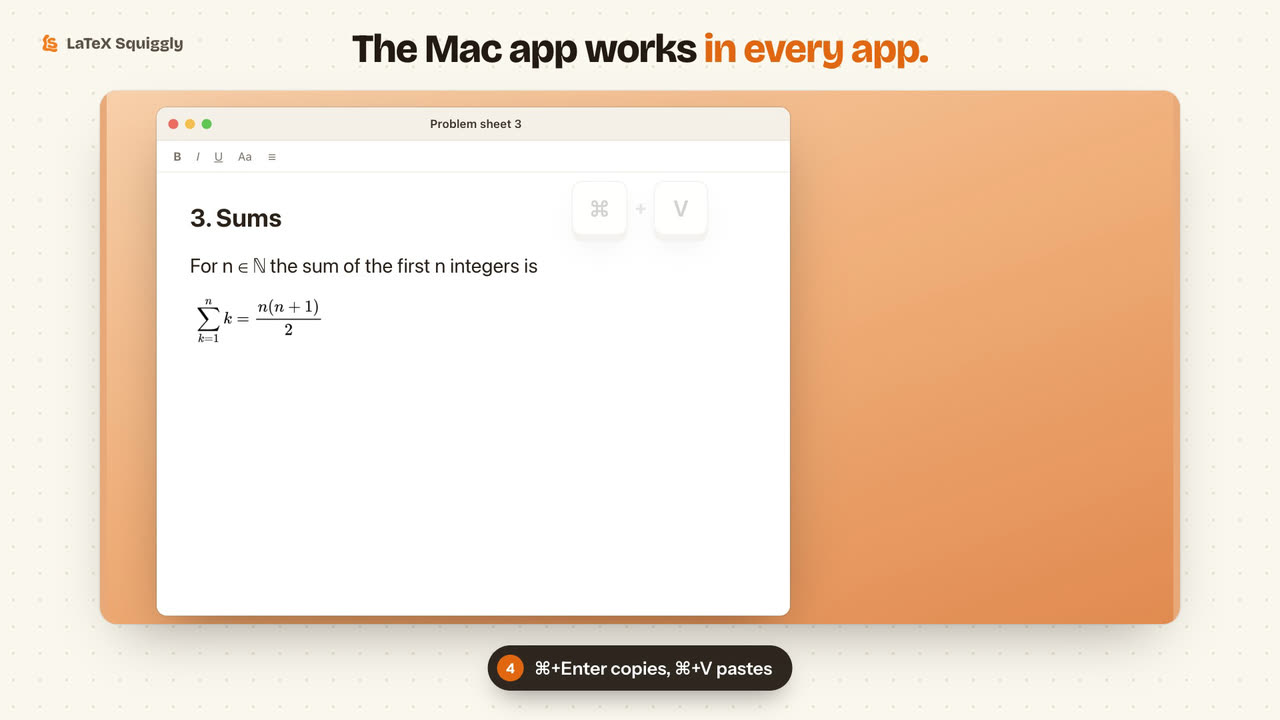
A menu bar app for macOS 13 and later. Works in every app: Notes, Mail, Slack, Word.
Download for Mac →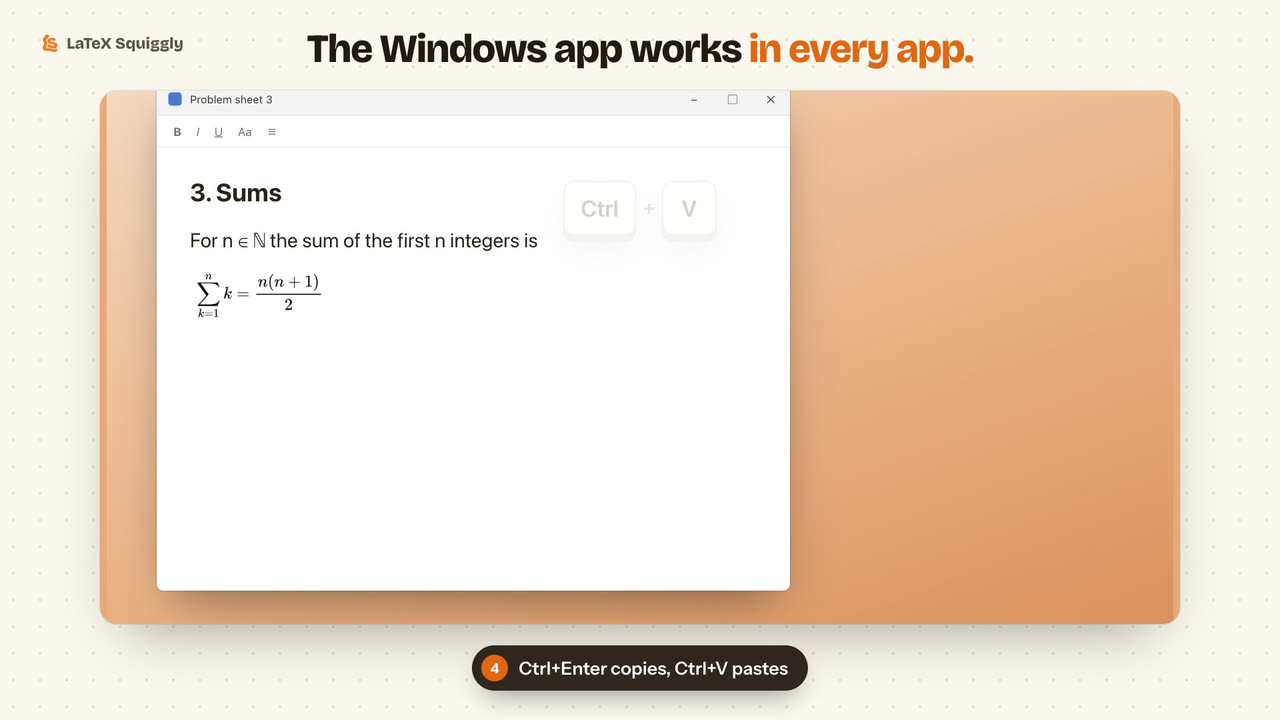
A tray app for Windows 10 and later. No installer, and no admin rights needed.
Download for Windows →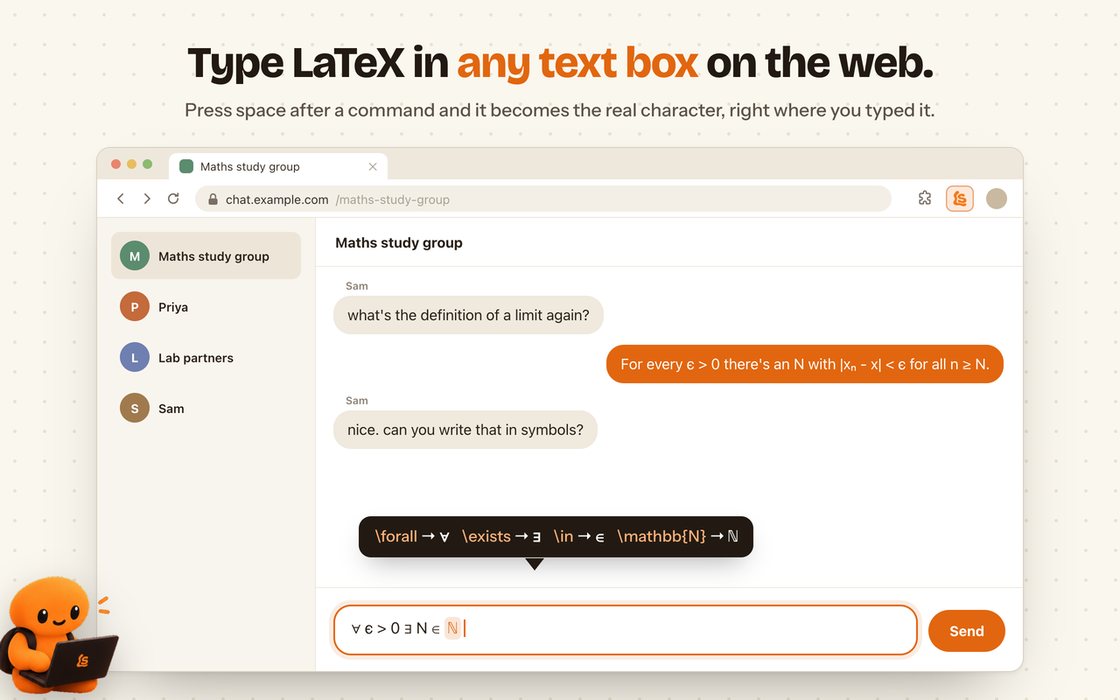
Any text box on the web, Google Docs included. Works in Edge and Brave too.
Add to Chrome →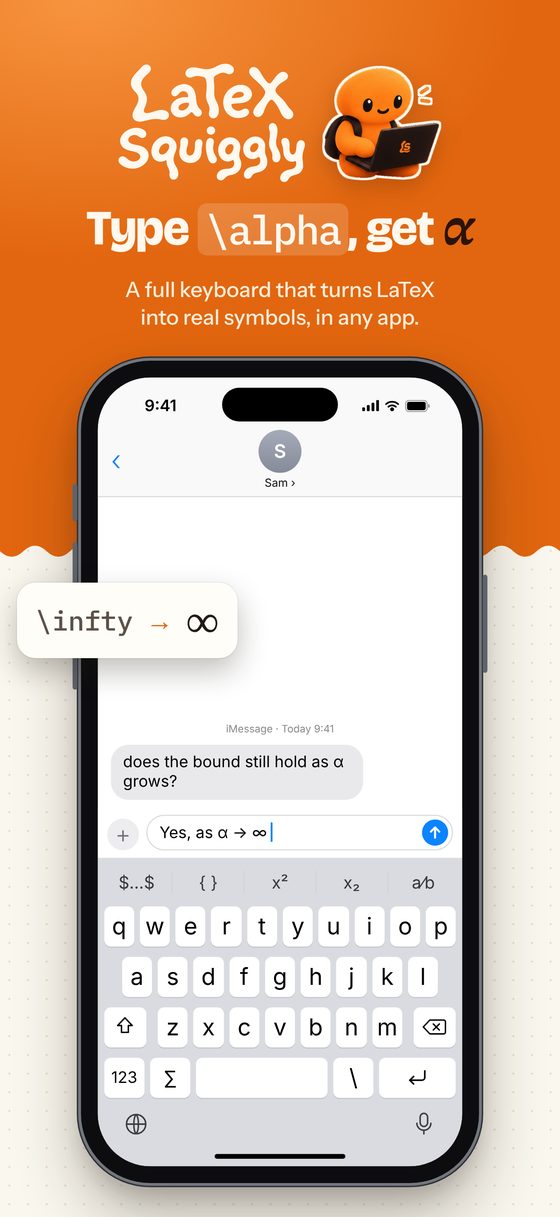
A full keyboard that converts as you type, and turns equations into pictures.
See the keyboard →Eleven seconds
Watch it work
- Type a command, press space.
\alphabecomes α, right where you typed it. - Scripts go in dollars.
$x^2$becomes x², and an ordinary x^2 is left alone. - Changed your mind? ⌘Z or Ctrl+Z brings the command back.
- Writing LaTeX for real? In Overleaf and TeX editors it stays out of the way.
What comes out
Characters, not markup
Every result below came out of the app's own engine. It is ordinary Unicode text, so it survives a copy, a paste, a chat message and an email subject line: there is nothing left to render.
iPhone and iPad
A whole keyboard for maths
It types like the iPhone's own keyboard, and LaTeX becomes symbols as you go. When plain text isn't enough, copy the equation as a picture.
Coming soon to the App Store- Converts on space, with undo, and suggests commands as you type them.
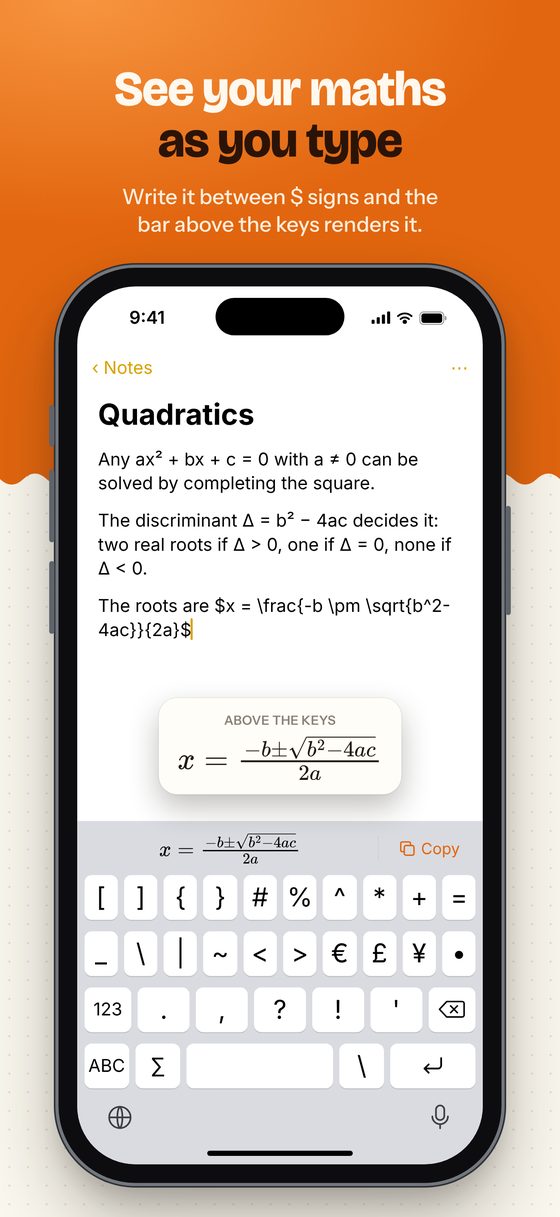
- See your maths typeset above the keys while you write it.
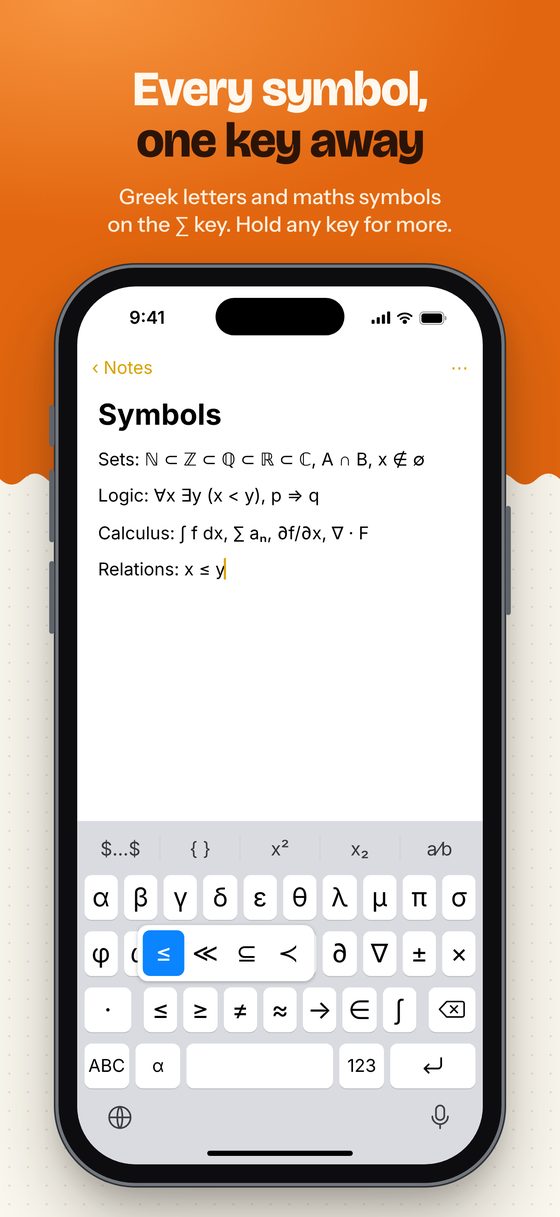
- Every symbol one key away. Hold a key for its relatives.
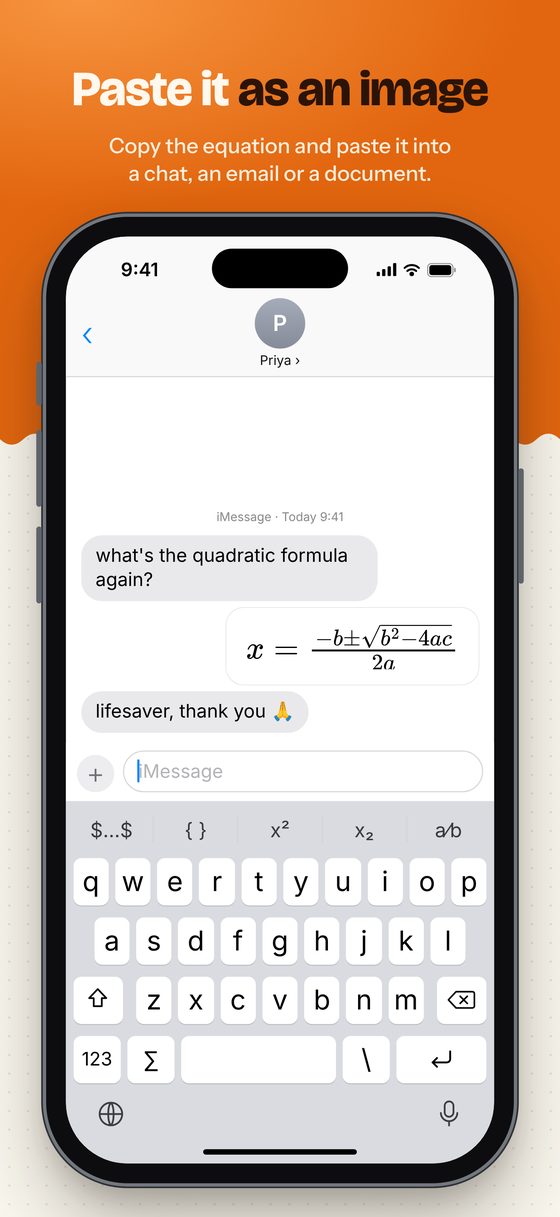
- Send equations as pictures in Messages, or from any app's share sheet.
- Private: nothing you type leaves your phone.
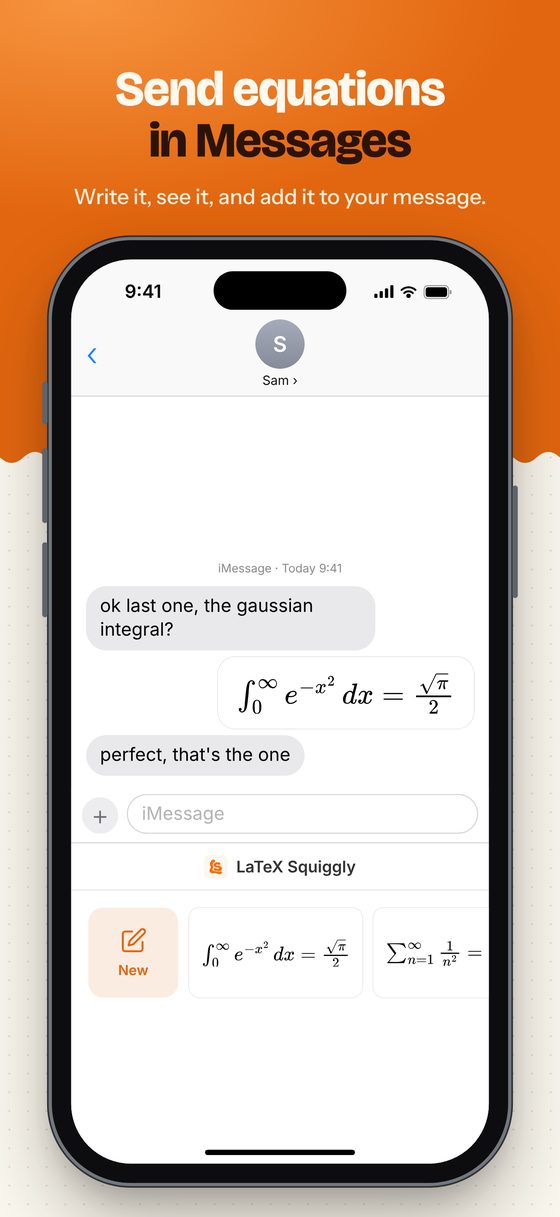
When plain text isn't enough
Paste a picture of the maths
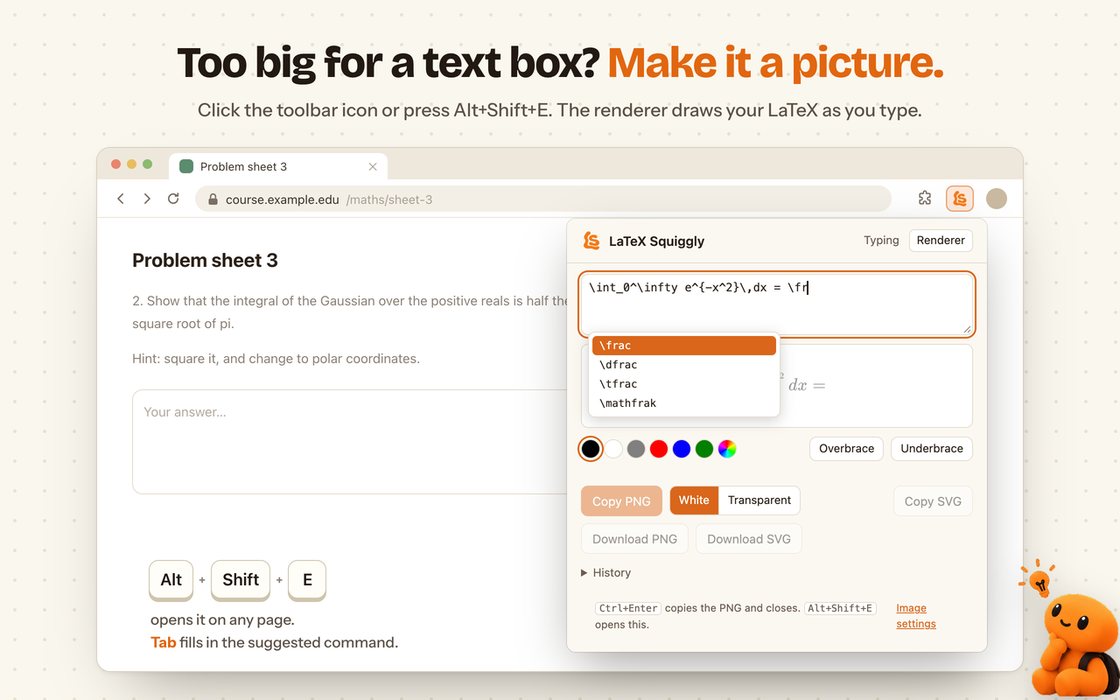
Fractions, matrices and sums with limits have no plain-text form. Type the LaTeX, or select it on any page, and copy a crisp image to paste into chats, slides and email.
- Mac: ⌃⌥⌘L from any app
- Windows: Win+Alt+L from any app
- Chrome: select LaTeX, right-click, Render selection as image
- iPhone: copy from the bar, the share sheet or Messages
The renderer
More than a screenshot
A live preview as you type, with a list of commands when you type a backslash. Copy it with one shortcut and paste it anywhere.
- Colour any part. Select it and tap a colour dot.
- Braces with labels, over or under the part you select.
- History keeps your last ten equations, a click away.
- Your own commands: define
\Ronce and type it for ℝ. - Sharp at any size, from 1× to 4×, on white or transparent, as PNG or SVG.
On iPhone, from the keyboard
Write maths between dollar signs and tap Copy in the bar above the keys. The bar shows it rendered as you type.
From any app's share sheet
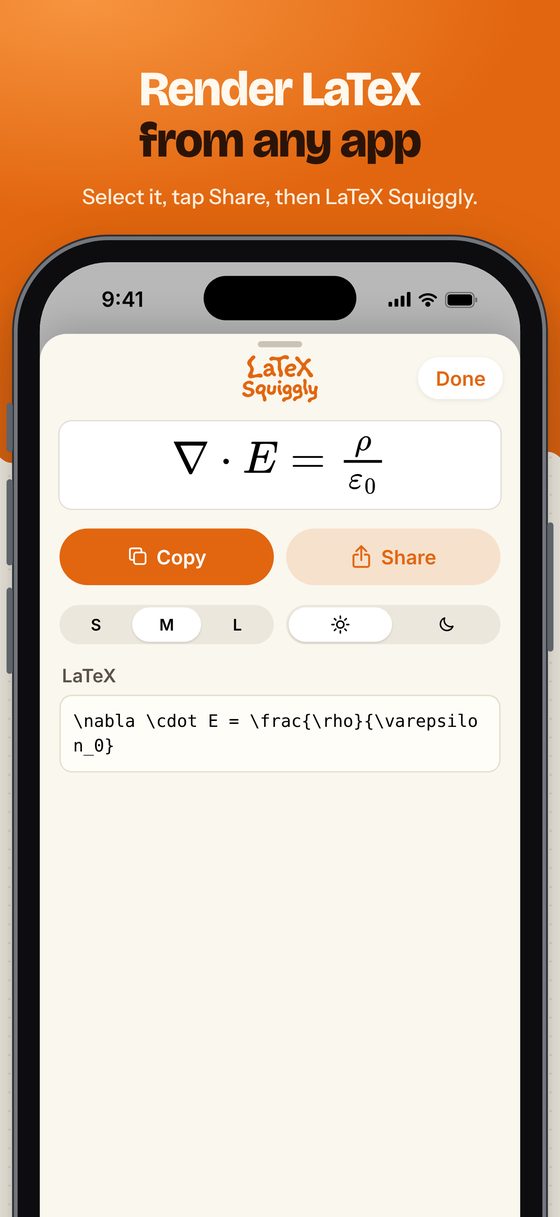
Select LaTeX in a note, an email or a web page, tap Share, then LaTeX Squiggly. Copy, share or save the picture.
In Messages, and the Render tab
Send an equation as a picture from the Messages drawer. For long ones, the app's Render tab picks the size and a light or dark card.
When it can't
It tells you why, in words about your maths
Some LaTeX has no honest one-line form. Then the app leaves your text exactly as you typed it and names the reason, because \vec is not a typo. Where a close version makes sense, it uses it and says so.
Left as typed, with the reason
As close as plain text allows

Staying quiet
The hard part isn't converting. It's knowing when not to.
In a TeX editor, \alpha has to stay \alpha. So LaTeX Squiggly watches which app is in front, and in an editor it does nothing at all. It doesn't even keep a buffer there, so it can't replace anything.
Excluded on sight
These ship excluded, and the list is checked again at every launch, so an editor you install next month is covered too. Anything you remove stays removed.
- Cursor
- RStudio
- Terminal
- Visual Studio Code
- TeXShop
- TeXstudio
- Texifier
- LyX
- BBEdit
Overleaf, in any browser
A browser is one app with a thousand documents in it, so the page matters as much as the app. These sites are excluded wherever they're open, and so is every subdomain.
- overleaf.com
- sharelatex.com
- papeeria.com
- cocalc.com
- latexbase.com
One glance at the menu bar
The icon answers one question: is it converting right now? The menu answers the next one, naming the rule it's following, such as staying quiet in Cursor.
Settings holds conversion, open at login, notices and both permissions, live. Exclusions holds the two lists above, and apps are added with a file picker so nothing needs typing.
Left: converting. Right: the same mark, faded, when it isn't.
What each browser tells it about the page Measured, not assumed
Measured on macOS 15.6 against Safari 26 and Chrome 152, because the usual advice here is wrong in both directions.
| Browser | Gives the page URL | Cost of a read | How |
|---|---|---|---|
| Chrome, Chromium family | Yes | 2.8 ms avg | AXDocument on the focused window, and an AXWebArea under the caret |
| Safari | Yes | 12 ms avg · 109 ms worst | AXWebArea six levels down; it does not answer AXDocument, contrary to the usual claim |
| Firefox family | No | n/a | Window title only, so site rules fall back to matching it |
Two consequences are built in. Safari's slow lookup is skipped inside the keystroke itself, where 109 ms would feel like a stuck key. And a browser that says nothing at all is treated as quiet, a setting you can turn off if you never open Overleaf.
The dollar rule
It knows maths from money
A bare x^2 can't convert on its own, or 2^3 in a sentence and a_b in a variable name would rewrite themselves. So scripts need $x^2$, which nobody types by accident.
And I have $5$ left isn't maths, so a span only converts when it holds a backslash, a caret or an underscore. Money has none of those, so it's left alone.
48 characters at most
A stray dollar earlier in the sentence can't reach forward and swallow half a line.
Always reported
Dollars mean you wanted maths, so if they can't convert, the app says so.
Coverage
202 symbols, and a way to find them
Every character comes from its official Unicode name, never typed in by hand. Search by command, name or category: greek capital finds eleven, and double-struck finds ℝ, ℕ and friends.
What it costs you
Nothing you can measure
Measured on the running Mac app over five idle minutes, with the energy metric Activity Monitor uses. macOS calls an app an energy problem at around 150 idle wakeups a second.
Nothing stored or sent
A short buffer of what you just typed lives in memory, and is dropped the moment a command completes or you move the caret, switch app or change tab. There is no network code.
Two permissions, and why
Input Monitoring to notice a command; Accessibility to replace it. With only the first, it could watch you type and do nothing about it.
Reads a page only while on
It looks into a browser's page only while conversion is on. Switched off, every app looks like a non-browser.
Get it
Free, for wherever you write
No account and no sign-up. Pick your platform.
Mac
macOS 13 or later Download for MacSigned but not notarized, so the first time macOS refuses. Open System Settings → Privacy & Security and click Open Anyway.
Windows
Windows 10 or later · beta Download for WindowsNot code-signed, so SmartScreen may warn you: click More info, then Run anyway. Antivirus may notice the keyboard hook too.
Chrome
Chrome, Edge, Brave and other Chromium browsers Add to ChromeNothing to install outside the browser.
iPhone
iPhone and iPad Coming soonOn its way to the App Store.

Nothing you type leaves your device
You should be careful with any app that can see your keystrokes. LaTeX Squiggly holds the last 64 characters in memory only long enough to spot a command, then forgets them. There is no networking code in the project at all, and nothing is written to disk except your settings.
You don't have to take that on trust: read the privacy policy, or the source code. Installed it? The guide walks you through the first steps.
Build it yourself Mac and Windows, from source
Both platforms run the same engine. The Windows tables are generated from the ones the Mac uses, and the two are checked against each other over 2,030 LaTeX fragments before anything is published, down to the number of backspaces. The Windows README says exactly what differs and why.
On a Mac
An app built on the Mac it runs on is never downloaded, so Gatekeeper never blocks it. You need Apple's Command Line Tools, not all of Xcode.
# 1. Apple's command line tools (not Xcode)
xcode-select --install

# 2. get the source
git clone https://github.com/SuperWalrus01/LaTeX-Squiggly.git
cd LaTeX-Squiggly

# 3. a stable signing identity, once, BEFORE the first install
scripts/setup-mac-signing.sh

# 4. build and install
scripts/install-mac-app.sh
open "/Applications/LaTeX Squiggly.app"
Order matters: macOS ties the Accessibility permission to the code signature, so signing after granting it undoes the grant. To see what the app currently sees:
"/Applications/LaTeX Squiggly.app/Contents/MacOS/LaTeX Squiggly" --diagnose
The Windows app
Built from a Mac or Linux machine: the .NET SDK cross-compiles. The script checks the port against the Mac engine's answers and publishes nothing if they disagree.
# needs the .NET 8 SDK; nothing else
scripts/build-windows.sh